SCCM

SCCM Automatic Deployment Rule: Download failed

()

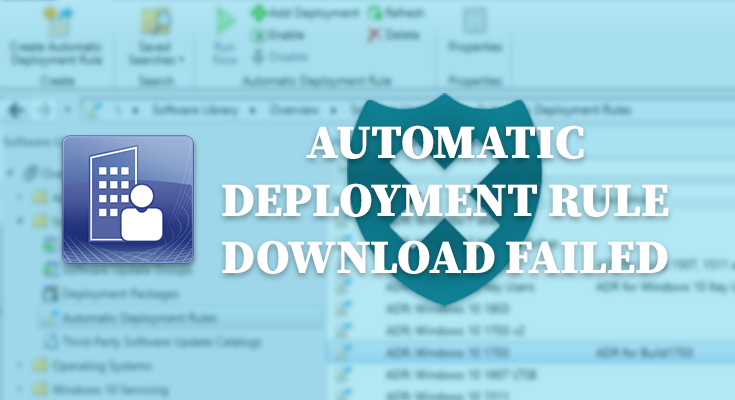
Una vez pruebas a crear una Automatic Deployment Rule para actualizar Windows y la ejecutas, es posible que nos encontremos con «Automatic Deployment Rule download failed«. Este es un error al descargar las actualizaciones mediante ADR bastante común. A continuación, explicaremos cómo identificarlo y la solución mediante la revisión de logs.

Error Automatic Deployment Rules Download Failed en SCCM

Primero de todo, debemos comprobar que desde nuestro Site Server se están enviando y recibido las peticiones a download.windowsupdate.com correctamente y permitir las conexiones en caso de estar bloqueadas.

Automatic Deployment Rule download failed SCCM
SCCM Automatic Deployment Rule (ADR) download failed

Una vez comprobadas las comunicaciones, para determinar si este es vuestro problema, podéis leer los logs ruleengine.log y PatchDownloader.log. Estos logs estarán en la carpeta Logs dentro de la instalación de System Center Configuration Manager en vuestro Site Server.

  • Ubicación ruleengine.log: C:\Program Files\Microsoft Configuration Manager\Logs\ruleengine.log.
  • Ubicación PatchDownloader.log: C:\Program Files\Microsoft Configuration Manager\Logs\PatchDownloader.log

Los errores deberían ser algo así:

List of update content(s) which match the contnt rule criteria = {16817629}	SMS_RULE_ENGINE
Downloading content with ID 16817629 in the package	SMS_RULE_ENGINE
Failed to download the update from internet. Error = 5	SMS_RULE_ENGINE
Failed to download ContentID 16817629 for UpdateID 16826923. Error code = 5	SMS_RULE_ENGINE
Failed to download any update	SMS_RULE_ENGINE
Failed to download update contents.	SMS_RULE_ENGINE
No new update was added to the package. Package "ABC00001" would not be updated.	SMS_RULE_ENGINE
Failed to run the DownloadAction for the AutoDeployment.	SMS_RULE_ENGINE
STATMSG: ID=8706 SEV=E LEV=M SOURCE="SMS Server" COMP="SMS_RULE_ENGINE" SYS=MyServer.Contoso.com SITE=ABC PID=5344 TID=8380 GMTDATE=ju. nov. 08 12:10:30.093 2018 ISTR0="SMS Rule Engine" ISTR1="Failed to download one or more content files" ISTR2="" ISTR3="" ISTR4="" ISTR5="" ISTR6="" ISTR7="" ISTR8="" ISTR9="" NUMATTRS=0	SMS_RULE_ENGINE
Creating Software Update Group for ADR	SMS_RULE_ENGINE
    Parsing Deployment Action XML...	SMS_RULE_ENGINE
    Parsing Rule XML...	SMS_RULE_ENGINE
    SQL is: select cis.CI_ID from vCI_ConfigurationItems cis join vProvisionedCIs pci on cis.CI_ID = pci.CI_ID where cis.CI_ID in (16817929, 16819205, 16819885, 16819911, 16826875, 16826923) order by cis.CI_ID	SMS_RULE_ENGINE
      1 of 6 updates are downloaded and will be added to the Deployment.	SMS_RULE_ENGINE
    SQL is: select CI_UniqueID from vCI_ConfigurationItems where CI_ID in (16819885) order by CI_ID	SMS_RULE_ENGINE
    SQL is: select distinct cira.ReferencedCI_ID from v_CIRelation_All cira ~join v_AuthListInfo ugi on cira.CI_ID = ugi.CI_ID~where ugi.CI_UniqueID = 'ScopeId_0B20F666-E6F4-4260-80C4-7EFF269FDD43/AuthList_b0664cd6-8629-4178-ad4e-948300f67d71'~and cira.RelationType = 1 and cira.Level = 1 order by cira.ReferencedCI_ID	SMS_RULE_ENGINE
The rule found no new updates. Skipping update group creation or update	SMS_RULE_ENGINE
Enforcing Create Deployment Action	SMS_RULE_ENGINE
  Create Deployment Rule Action XML is: <DeploymentCreationActionXML xmlns:xsi="http://www.w3.org/2001/XMLSchema-instance" xmlns:xsd="http://www.w3.org/2001/XMLSchema"><DeploymentId>{712135a0-0be5-4b59-9f67-9039bd783aa0}</DeploymentId><DeploymentNumber>0</DeploymentNumber><CollectionId>ABC00001</CollectionId><IncludeSub>true</IncludeSub><Utc>false</Utc><Duration>7</Duration><DurationUnits>Days</DurationUnits><AvailableDeltaDuration>0</AvailableDeltaDuration><AvailableDeltaDurationUnits>Hours</AvailableDeltaDurationUnits><SoftDeadlineEnabled>false</SoftDeadlineEnabled><SuppressServers>Checked</SuppressServers><SuppressWorkstations>Unchecked</SuppressWorkstations><PersistOnWriteFilterDevices>Unchecked</PersistOnWriteFilterDevices><AllowRestart>true</AllowRestart><DisableMomAlert>false</DisableMomAlert><GenerateMomAlert>false</GenerateMomAlert><UseRemoteDP>false</UseRemoteDP><UseUnprotectedDP>true</UseUnprotectedDP><UseBranchCache>true</UseBranchCache><RequirePostRebootFullScan>Checked</RequirePostRebootFullScan><EnableDeployment>true</EnableDeployment><EnableWakeOnLan>false</EnableWakeOnLan><AllowDownloadOutSW>false</AllowDownloadOutSW><AllowInstallOutSW>true</AllowInstallOutSW><EnableAlert>false</EnableAlert><AlertThresholdPercentage>0</AlertThresholdPercentage><AlertDuration>2</AlertDuration><AlertDurationUnits>Weeks</AlertDurationUnits><EnableNAPEnforcement>false</EnableNAPEnforcement><UserNotificationOption>DisplayAll</UserNotificationOption><LimitStateMessageVerbosity>false</LimitStateMessageVerbosity><StateMessageVerbosity>10</StateMessageVerbosity><AllowWUMU>false</AllowWUMU><AllowUseMeteredNetwork>false</AllowUseMeteredNetwork></DeploymentCreationActionXML>	SMS_RULE_ENGINE
  Rule XML is: <AutoDeploymentRule xmlns:xsi="http://www.w3.org/2001/XMLSchema-instance" xmlns:xsd="http://www.w3.org/2001/XMLSchema"> <DeploymentId></DeploymentId> <DeploymentName>ADR: Windows 10 1703</DeploymentName> <UpdateGroupId>ScopeId_0B20F666-E6F4-4260-80C4-7EFF269FDD43/AuthList_b0664cd6-8629-4178-ad4e-948300f67d71</UpdateGroupId> <UpdateGroupName></UpdateGroupName> <LocaleId>1033</LocaleId> <UseSameDeployment>false</UseSameDeployment> <AlignWithSyncSchedule>false</AlignWithSyncSchedule> <NoEULAUpdates>false</NoEULAUpdates> <EnableAfterCreate>true</EnableAfterCreate> <ScopeIDs><ScopeID>SMS00UNA</ScopeID> </ScopeIDs> <EnableFailureAlert>true</EnableFailureAlert> <IsServicingPlan>false</IsServicingPlan> <IsOldUpdateGroupCurrent>true</IsOldUpdateGroupCurrent> </AutoDeploymentRule>	SMS_RULE_ENGINE
  Criteria Filter Result XML is: <AutoDeploymentRule xmlns:xsi="http://www.w3.org/2001/XMLSchema-instance" xmlns:xsd="http://www.w3.org/2001/XMLSchema"> <DeploymentId></DeploymentId> <DeploymentName>ADR: Windows 10 1703</DeploymentName> <UpdateGroupId>ScopeId_0B20F666-E6F4-4260-80C4-7EFF269FDD43/AuthList_b0664cd6-8629-4178-ad4e-948300f67d71</UpdateGroupId> <UpdateGroupName></UpdateGroupName> <LocaleId>1033</LocaleId> <UseSameDeployment>false</UseSameDeployment> <AlignWithSyncSchedule>false</AlignWithSyncSchedule> <NoEULAUpdates>false</NoEULAUpdates> <EnableAfterCreate>true</EnableAfterCreate> <ScopeIDs><ScopeID>SMS00UNA</ScopeID> </ScopeIDs> <EnableFailureAlert>true</EnableFailureAlert> <IsServicingPlan>false</IsServicingPlan> <IsOldUpdateGroupCurrent>true</IsOldUpdateGroupCurrent> </AutoDeploymentRule>	SMS_RULE_ENGINE
    Parsing Deployment Action XML...	SMS_RULE_ENGINE
    Parsing Rule XML...	SMS_RULE_ENGINE
    SQL is: select cis.CI_ID from vCI_ConfigurationItems cis join vProvisionedCIs pci on cis.CI_ID = pci.CI_ID where cis.CI_ID in (16817929, 16819205, 16819885, 16819911, 16826875, 16826923) order by cis.CI_ID	SMS_RULE_ENGINE
      1 of 6 updates are downloaded and will be added to the Deployment.	SMS_RULE_ENGINE
    SQL is: select CI_UniqueID from vCI_ConfigurationItems where CI_ID in (16819885) order by CI_ID	SMS_RULE_ENGINE
The rule found no new updates. Skipping deployment creation or update	SMS_RULE_ENGINE
CRuleHandler: Enforcing Actions for Rule 5 failed!	SMS_RULE_ENGINE
CRuleHandler: ResetRulesAndCleanUp()	SMS_RULE_ENGINE
Rule result is: 0	SMS_RULE_ENGINE
CRuleHandler::CreateFailureAlert - Alert ID = 16777258	SMS_RULE_ENGINE
Updated Failure Information for Rule: 5	SMS_RULE_ENGINE
Trying to connect to the \\MyServer.Contoso.com\root\sms\site_ABC namespace on the MyServer.Contoso.com machine.
Connected to \\MyServer.Contoso.com\root\sms\site_ABC
Download destination = \\MyServer.Contoso.com\SCCM\Updates\ADR\ADR Windows 10 1703\e2bdf884-bc71-4498-923b-b3c5dd89eeea.1\Windows10.0-KB4091663-v5-x64.cab .
Contentsource = http://download.windowsupdate.com/d/msdownload/update/software/updt/2018/09/windows10.0-kb4091663-v5-x64_58e4580d5144211b9e9acb0d6037242a3aa3c8cb.cab .
Failed to create directory \\MyServer.Contoso.com\SCCM\Updates\ADR\ADR Windows 10 1703\e2bdf884-bc71-4498-923b-b3c5dd89eeea.1\Windows10.0-KB4091663-v5-x64.cab, error 5
CreateLinkToExistingFile() failed for ContentID 1611846. hRes = 0x80070005 .
Downloading content for ContentID = 16811846, FileName = Windows10.0-KB4091663-v5-x64.cab.
Failed to create directory \\MyServer.Contoso.com\SCCM\Updates\ADR\ADR Windows 10 1703\e2bdf884-bc71-4498-923b-b3c5dd89eeea.1\, error 5
ERROR: DownloadContentFiles() failed with hr=0x80070005

En los logs ruleengine.log y PatchDownloader.log podemos ver que nos están indicando los códigos de error «Enforcing Actions for Rule 5 failed» y «ERROR: DownloadContentFiles() failed with hr=0x80070005» (0x80070005), que son acceso denegado. Deberemos revisar los permisos en la carpeta donde hemos indicado que se descarguen los KBs.

Un dato a tener en cuenta: Cuando descargamos las actualizaciones desde la consola, se usa la cuenta con la que estemos usando la cuenta en ese momento (nuestro usuario administrador). Y cuando la ADR se ejecuta automáticamente, usa la cuenta máquina del Primary Site Server. Esta segunda cuenta es la que debe tener permisos de escritura y lectura sobre la carpeta tanto a nivel de NTFS como de Share.

Permissions over ADR folder

Una vez revisados los permisos de la ADR, al ejecutar de nuevo la Automatic Deployment Rule, se debería ejecutar satisfactoriamente. Podemos abrir los logs ruleengine.log y PatchDownloader.log para seguir el proceso de descarga:

Download http://officecdn.microsoft.com/pr/b8f9b850-328d-4355-9145-c59439a0c4cf/office/data/16.0.10730.20205/s641027.cab in progress: 12 percent complete	Software Updates Patch Downloader
Download http://officecdn.microsoft.com/pr/b8f9b850-328d-4355-9145-c59439a0c4cf/office/data/16.0.10730.20205/s641027.cab in progress: 24 percent complete	Software Updates Patch Downloader
Download http://officecdn.microsoft.com/pr/b8f9b850-328d-4355-9145-c59439a0c4cf/office/data/16.0.10730.20205/s641027.cab in progress: 36 percent complete	Software Updates Patch Downloader
Download http://officecdn.microsoft.com/pr/b8f9b850-328d-4355-9145-c59439a0c4cf/office/data/16.0.10730.20205/s641027.cab in progress: 48 percent complete	Software Updates Patch Downloader
Download http://officecdn.microsoft.com/pr/b8f9b850-328d-4355-9145-c59439a0c4cf/office/data/16.0.10730.20205/s641027.cab in progress: 60 percent complete	Software Updates Patch Downloader
Download http://officecdn.microsoft.com/pr/b8f9b850-328d-4355-9145-c59439a0c4cf/office/data/16.0.10730.20205/s641027.cab in progress: 72 percent complete	Software Updates Patch Downloader
Download http://officecdn.microsoft.com/pr/b8f9b850-328d-4355-9145-c59439a0c4cf/office/data/16.0.10730.20205/s641027.cab in progress: 84 percent complete	Software Updates Patch Downloader
Download http://officecdn.microsoft.com/pr/b8f9b850-328d-4355-9145-c59439a0c4cf/office/data/16.0.10730.20205/s641027.cab in progress: 96 percent complete	Software Updates Patch Downloader
Download http://officecdn.microsoft.com/pr/b8f9b850-328d-4355-9145-c59439a0c4cf/office/data/16.0.10730.20205/s641027.cab to C:\Windows\TEMP\CAB3AF9.tmp returns 0	Software Updates Patch Downloader
Automatic Deployment Rule Success
SCCM Automatic Deployment Rule (ADR) download failed fix

¿De cuánta utilidad te ha parecido este contenido?

¡Haz clic en una estrella para puntuarlo!

Promedio de puntuación / 5. Recuento de votos:

Hasta ahora, ¡no hay votos!. Sé el primero en puntuar este contenido.

Ya que has encontrado útil este contenido...

¡Sígueme en los medios sociales!

¡Siento que este contenido no te haya sido útil!

¡Déjame mejorar este contenido!

Dime, ¿cómo puedo mejorar este contenido?

Nando Corzo

Apasionado del sector IT y las tecnologías Microsoft con más de 5 años de experiencia en entornos complejos (Banca, Congresos y Servicios públicos). Explotando y aprendiendo cada día sobre Modern Workplace. Escribo sobre SCCM, Windows, Microsoft Intune, Hyper-V, etc...

Publicaciones relacionadas

Deja una respuesta

Tu dirección de correo electrónico no será publicada. Los campos obligatorios están marcados con *

Botón volver arriba